Simulate
Simulate instantly plays out the rest of a tournament — every hand, knockout, rebuy, add-on, and payout — producing a realistically completed tournament in seconds. It’s great for exploring the app’s features, seeing how a blind structure plays out, or generating a whole season of sample data for Club stats.
Where to find it
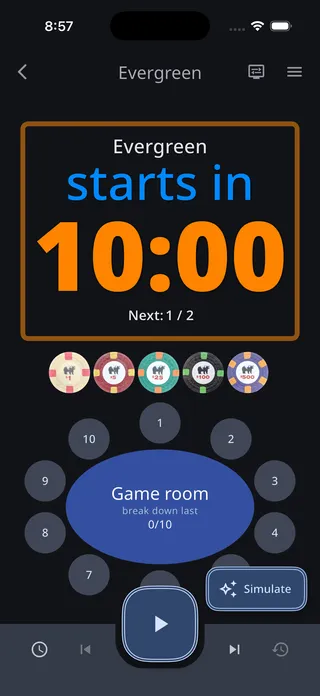
Section titled “Where to find it”For a tournament that hasn’t been started yet, a Simulate button sits in the lower-right corner of the timer screen:
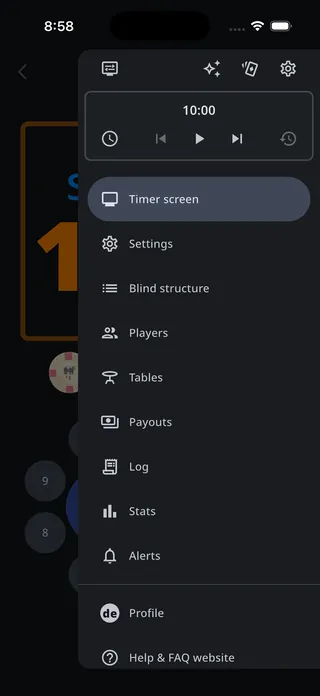
Simulate is also in the tournament menu — the sparkle button in the top row. It’s there whenever the timer is paused and the tournament isn’t already over, so it works on a game that’s partway done: the simulation picks up from wherever the tournament currently stands and plays it to completion.
Simulation options
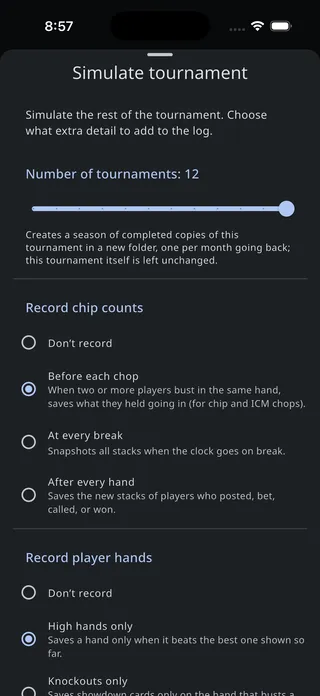
Section titled “Simulation options”Tapping Simulate opens the Simulate tournament sheet:
Number of tournaments
Section titled “Number of tournaments”Leave the slider at 1 to simulate just this tournament to completion. Choose more than one to create a whole season of up to 12 tournaments.
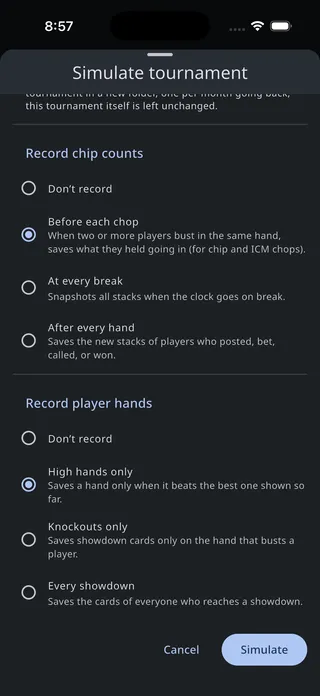
Record chip counts
Section titled “Record chip counts”Choose how much chip-count detail the simulation writes to the log:
- Don’t record — No chip counts are saved.
- Before each chop — When two or more players bust in the same hand, saves what they held going in, ready for chip and ICM chops.
- At every break — Snapshots all stacks when the clock goes on break.
- After every hand — Saves the new stacks of players who posted, bet, called, or won.
Record player hands
Section titled “Record player hands”Choose which hole cards make it into the log:
- Don’t record — No hands are saved.
- High hands only — Saves a hand only when it beats the best one shown so far.
- Knockouts only — Saves showdown cards only on the hand that busts a player.
- Every showdown — Saves the cards of everyone who reaches a showdown.
Simulating a season
Section titled “Simulating a season”Choosing more than one tournament creates a season in a new folder next to the tournament, named for its date range — for example “Aug 2025 - Jul 2026”.
Inside are completed copies of the tournament, one per month going back. Each falls on the same weekday-of-the-month as today (if today is the third Friday, so is every earlier tournament) and starts at noon. The last copy picks up from the tournament’s current state and ends around now. The tournament itself is left unchanged, and the app opens the new folder when the season finishes.
The season is built to look like a real league: each player keeps a consistent skill level from month to month, and a random 75–100% of the roster turns up to each tournament, so attendance and results vary the way they would in a real club.
What gets written
Section titled “What gets written”The simulation writes ordinary log entries — buy-ins, seating, level changes, knockouts, rebuys, add-ons, and any chip counts and hands you asked for — exactly as if the tournament had been run live. It respects your rebuy period: simulated rebuys and add-ons all land inside it, or within the first four blind levels if you haven’t set one. Everything flows into the tournament log, Stats & reporting, and payouts just like a real game, so you can explore every feature with realistic data.