Club stats
Club stats is a season dashboard for a folder of tournaments. While Stats & reporting covers a single tournament, Club stats aggregates every completed tournament in a folder — subfolders included — into a league-style view: leaderboard, points race, money, and attendance.
Opening Club stats
Section titled “Opening Club stats”Organize a season’s tournaments into a folder, then tap the leaderboard button in the folder’s top bar.
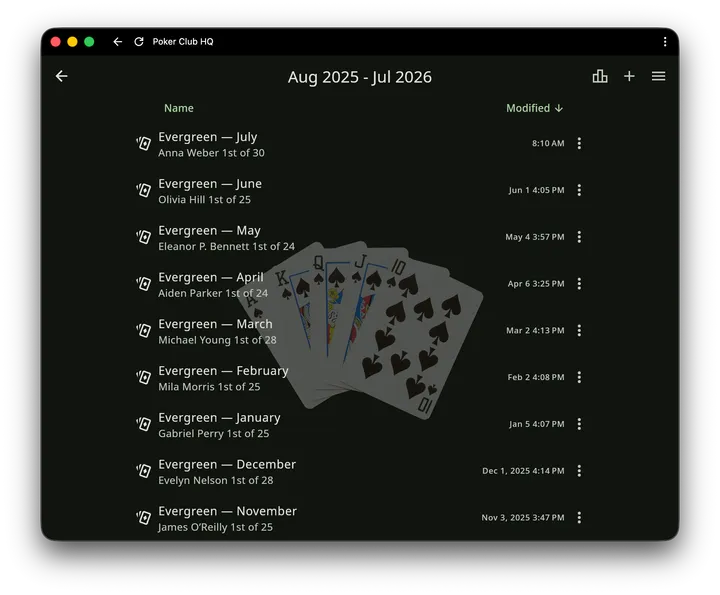
The button shows up as soon as the folder holds at least one tournament, finished or not. It isn’t offered on the top-level home list, so a season needs its own folder.
Leaderboard
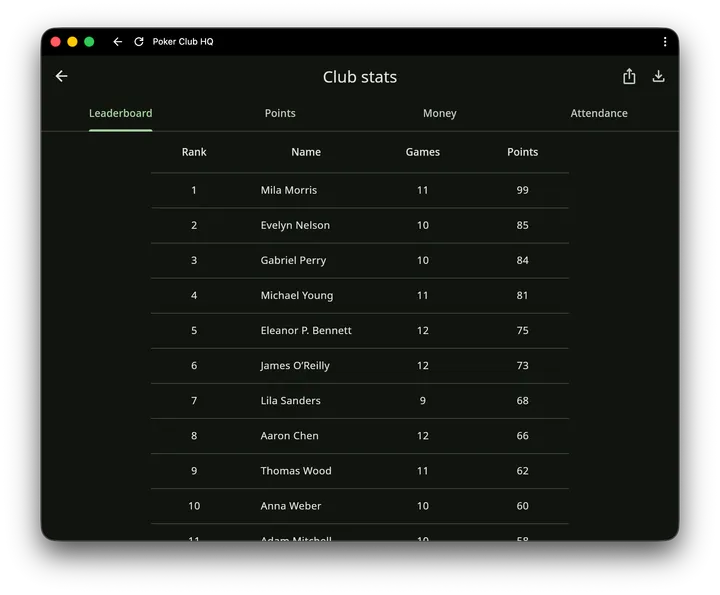
Section titled “Leaderboard”Who’s winning the season. Columns are Rank, Name, Games played, Points, and Average points — points coming from the same customizable formula used on each tournament’s Stats screen, summed across the season. Average points divides a player’s total by the games they played, so someone who missed a few nights can be compared fairly with someone who came to every one.
Tap a player to open their season game by game: every tournament they played, where they finished, and the points it earned them.
If one person shows up as two names, merge them in the Player Directory and their rows combine.
To show the leaderboard on the timer screen during a game, add the Leaderboard widget. Scripts can read the same numbers from clubStats.
Points
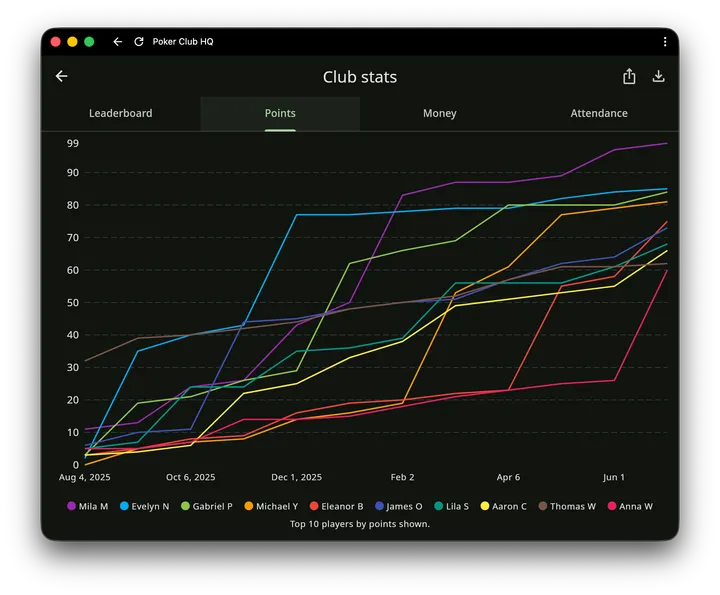
Section titled “Points”The points race over time, for when the standings are close: each of the top 10 players’ cumulative points, tournament by tournament, across the season.
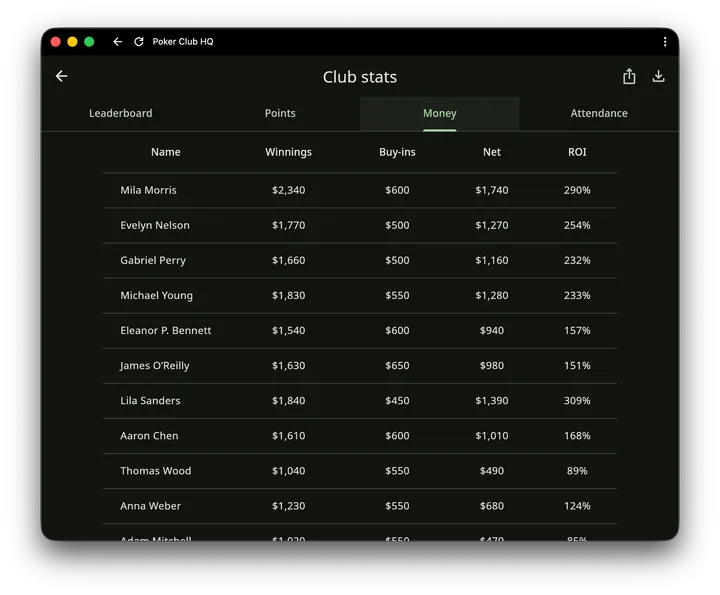
Who’s actually ahead: total winnings (including bounty money), total buy-ins (including add-ons, rebuys, and bounty chips), the net of the two, and ROI — return on investment.
Attendance
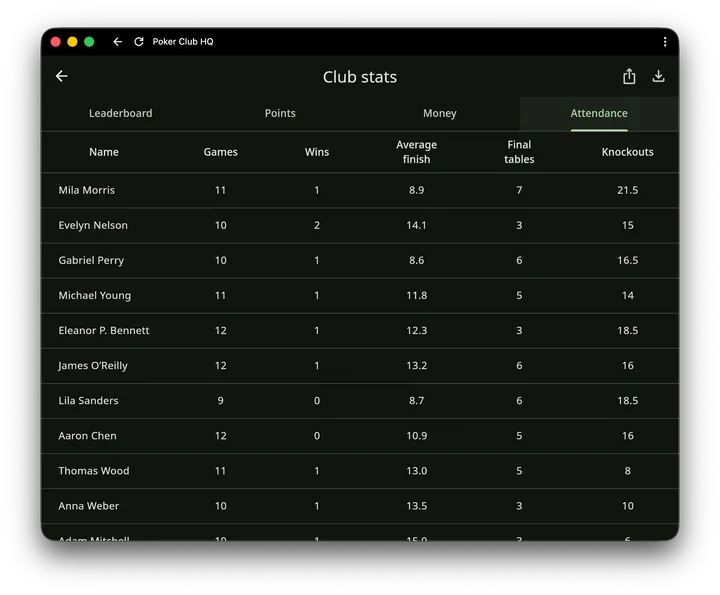
Section titled “Attendance”Season participation and consistency: games played, wins, average finish, final tables (top-9 finishes), ITM (in-the-money finishes, the games where a player won part of the prize pool; bounty money alone doesn’t count), and knockouts dealt. Average finish counts only the games where a player got a finishing place, so someone removed mid-tournament isn’t penalized for it.
Exporting
Section titled “Exporting”Use the share and download buttons in the top bar to export the season as a CSV file — handy for spreadsheets or posting standings to your club.
The export is the whole season in one sheet, not just the tab you’re looking at: each player’s games, wins, average finish, final tables, ITM finishes, knockouts, winnings, buy-ins, net, total points, and average points, followed by one column per tournament showing the points they earned in it.