Foldable phones
On a foldable phone, Poker Club HQ makes room for the timer on whichever screen you’re using. Held partly open, it can show the timer beside one of the tournament’s screens. On the iPhone Duo it also uses the vertical bar along the side of the screen.
The vertical bar on the iPhone Duo
Section titled “The vertical bar on the iPhone Duo”The iPhone Duo puts a vertical bar along one side of the screen, which holds the status bar. Poker Club HQ puts buttons there that would otherwise crowd the top bar:
- Home and folders: Add new, Club stats, and Empty trash move into the bar.
- Player Directory, player details, and Club stats: their buttons move into the bar.
- A tournament’s screens (Settings, Blind structure, Players, and the rest) keep their buttons at the top. The bar instead shows an icon for each of the tournament’s screens, with the one you’re on highlighted, so you can switch between them in one tap. To go back to the timer, tap the back arrow, or Timer screen in the menu (☰).
The menu (☰) stays at the end of the top bar on every screen that has one, in the same place as on other phones.
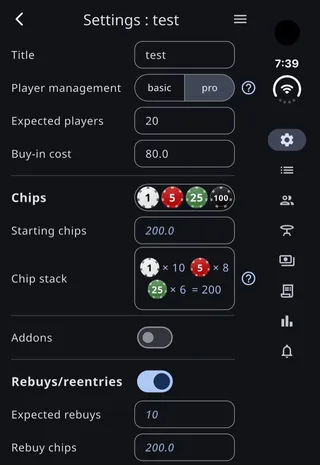
The bar’s icons hide while the menu is open, and before a tournament has a blind structure.
The full-screen timer on the iPhone Duo
Section titled “The full-screen timer on the iPhone Duo”The timer hides the status bar on the iPhone Duo, so it gets the whole screen. On the inner display that removes the vertical bar too.
On the cover display the bar’s strip stays, so the timer fills it as well, and the camera sits over a corner of the layout (the top right in portrait). The top and bottom bars move clear of the camera when it’s at their end. While you edit the timer’s layout, it stays clear of the strip.
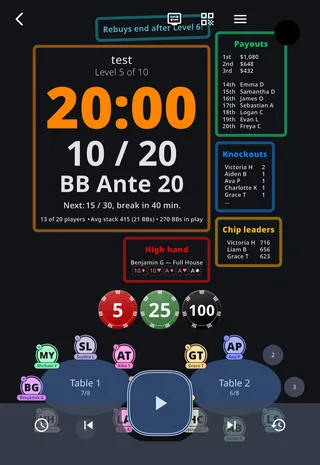
The timer beside a tournament screen
Section titled “The timer beside a tournament screen”Hold a foldable partly open, like a book or with the bottom half lying flat on a table, and the timer shares the screen with one of the tournament’s other screens. This works on the iPhone Duo and on Android foldables. In book pose the timer is on the left; with the phone lying flat, it’s on top.
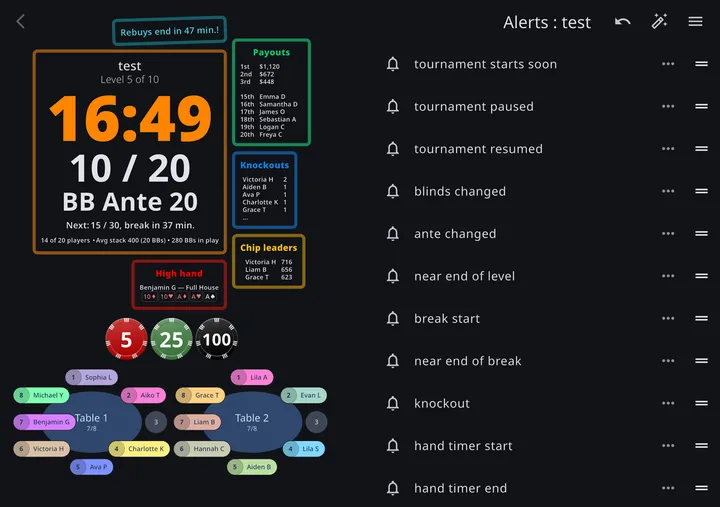
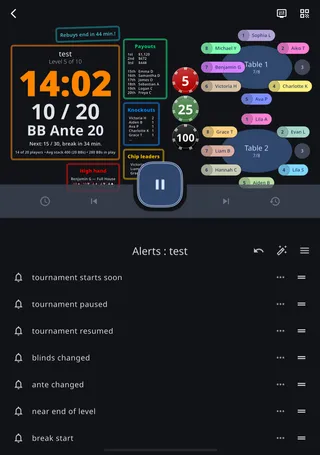
- Folding while the timer is showing opens the screen you last used for that kind of tournament beside it: Tables in a pro tournament, or Players in a basic one, until you pick another. If the menu (☰), a sheet, or a dialog is open on the timer, the screen opens once you close it.
- Folding while another screen is showing keeps it, and the timer joins it on the other side.
- Opening the phone flat goes back to where you started: the timer, or the screen that’s showing now if you started on one.
Both sides work as usual. Run the clock from the timer’s controls, and use the other side as you would full screen. The menu (☰) on that side switches which screen it shows; its Timer screen item just closes the menu, since the timer is already there. A page you open from that side, such as a blind level’s settings, opens on that side too, and so do its sheets and dialogs. Pages save as you edit, so nothing is lost if one closes when you open the phone flat.
The timer shows exactly what it shows full screen, following the tournament’s layout and settings, tables included.
The back arrow on the timer’s side, and the Android back gesture, leave the tournament. The screen on the other side has no back arrow, and on an iPhone, swiping back from it does nothing. A page you open from it still has its own back arrow.
The timer doesn’t share the screen for a player who joined by QR code, who only sees the timer, for a Table Captain in a basic tournament, or before a tournament has a blind structure.
Turning it off
Section titled “Turning it off”Open the menu (☰), tap Sound & display in the row of buttons at the top, and turn off Split screen when folded. The setting is saved on each device, and it’s on until you turn it off. With it off, folding leaves the screen as it is. Turning it off while the screen is shared goes back to a single screen, and turning it on while the phone is partly folded shares the screen again.
While a foldable is partly folded, menus and dialogs open on one side of the fold. On the iPhone Duo, turning the setting off keeps them full width instead. Android foldables always place them on one side.